
Generating a Ligand Network#
In this section we will show the basic functionality of konnektor and demonstrate how to construct networks.
For a comprehensive guide to all network generation algorithms available in konnektor, see konnektor_networks notebook.
Create demo data, scorer, and mapper#
First we will generate a randomized dataset of molecules (Components), alongside an AtomMapper and AtomMappingScorer specifically generated for this toy dataset.
The AtomMapper in our case is an “edge generator” allowing us to create all possible edges (AtomMappings) for the set of Components.
The AtomMappingScorer simply adds the score (weight) information to the generated edges. This score is treated as an estimate of the difficulty in transforming Component_A to Component_B, and can be used to try to find the best transformation paths through all the AtomMapping.
[2]:
from konnektor.utils import toy_data

components, mapper, scorer = toy_data.build_random_dataset(n_compounds=20, rand_seed=42)
Star Network Layout#
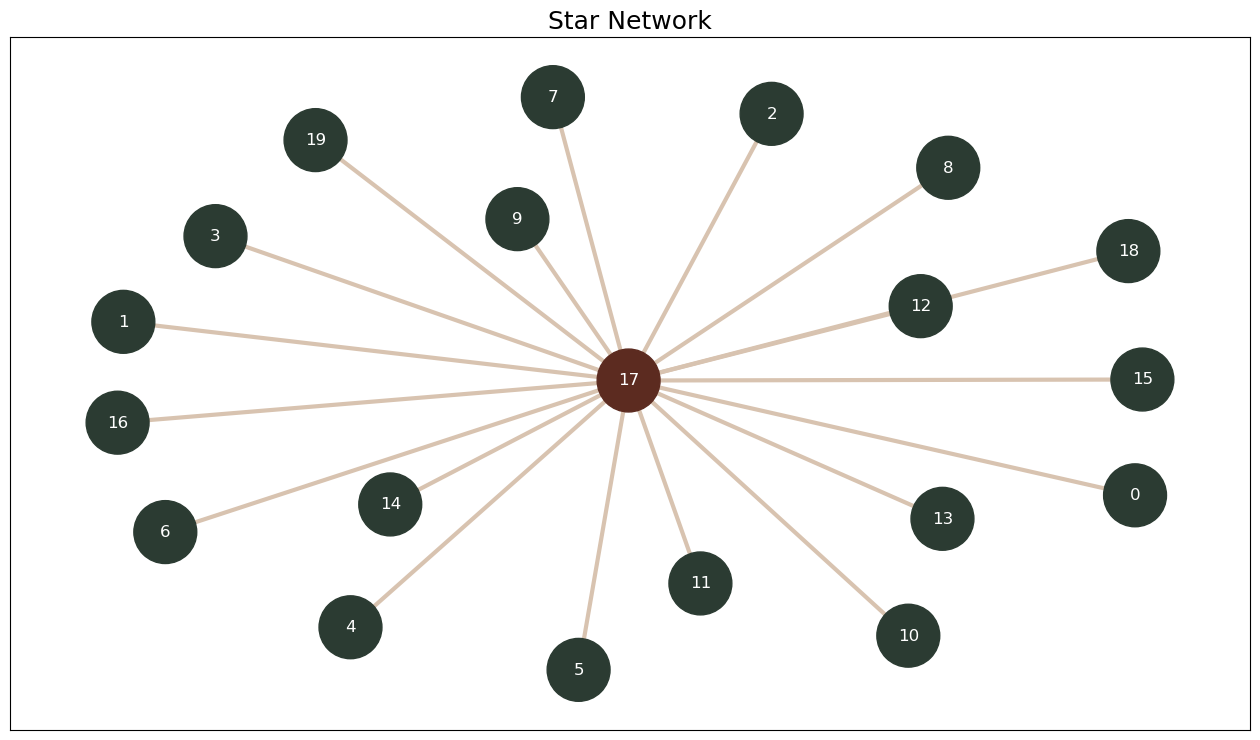
The Star Network Layout is one of the simplest network layouts. It is efficient and reasonably robust, losing only one Component should an edge fail. Its main limitation is the choice of the central ligand, which affects the quality of all the Network’s results.
The Star Network Layout can be very easily generated using the StarNetworkGenerator. To create it, we pass the AtomMapper and the AtomMappingScorer as settings to the generator as they are required for building the possible edges and their associated weights. This concept will repeat for all the network generators in Konnektor.
Note: You can use the n_processes flag to parallelize the network generation using multiple CPUs.
[3]:
from konnektor.network_planners import StarNetworkGenerator

network_planner = StarNetworkGenerator(mappers=mapper, scorer=scorer, n_processes=1)
The network is created by calling an instance of the StarNetworkGenerator, passing in the Components we want to connect.
To label this network for later use, we add a name to the generated object by setting the name attribute.
[4]:
radial_network = network_planner.generate_ligand_network(components)
radial_network.name = "Star Network"
radial_network.name
[4]:
'Star Network'
Note: here the StarNetworkGenerator automatically selects the central Component by finding the average best score-performing Component.
You could instead specify the central Component by setting the central_component argument when calling the StarNetworkGenerator instance.
Finally, let’s have a look at the network we generated using the draw_ligand_network function. The function returns a matplotlib Figure, which can be easily stored as a figure with:
fig.savefig("./star_network.png")
Note: The colors indicate the relative connectivity. Green Components have an average number of connections, red Components have higher than average connectivity.
[5]:
# NBVAL_SKIP
from konnektor.visualization import draw_ligand_network

fig = draw_ligand_network(radial_network, title=radial_network.name)
Cyclic Network Layout#
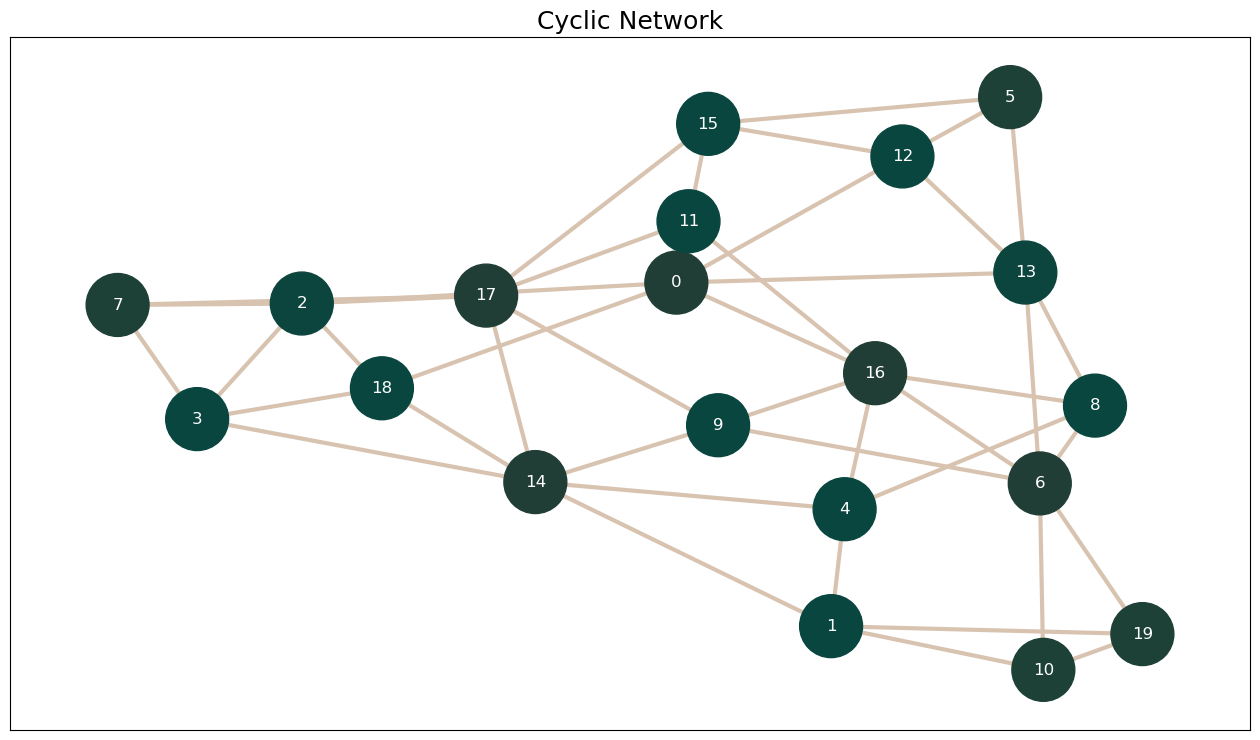
Next we’ll generate a cyclic network using the CyclicNetworkGenerator. The CyclicNetworkGenerator works in the same manner as the StarNetworkGenerator, but generates a network with a Cyclic Network Layout.
This network layout focuses on generating a graph containing a large set of cycles, adding extra redundancies and allowing for cycle closure analysis. Note that this comes at the cost of more edges in the network, meaning more computational time.
[6]:
from konnektor.network_planners import CyclicNetworkGenerator

network_planner = CyclicNetworkGenerator(mappers=mapper, scorer=scorer)
[7]:
cyclic_network = network_planner.generate_ligand_network(components)
cyclic_network.name = "Cyclic Network"
cyclic_network.name
[7]:
'Cyclic Network'
[8]:
# NBVAL_SKIP
from konnektor.visualization import draw_ligand_network

fig = draw_ligand_network(cyclic_network, title=cyclic_network.name);
Starry Sky Network Layout#
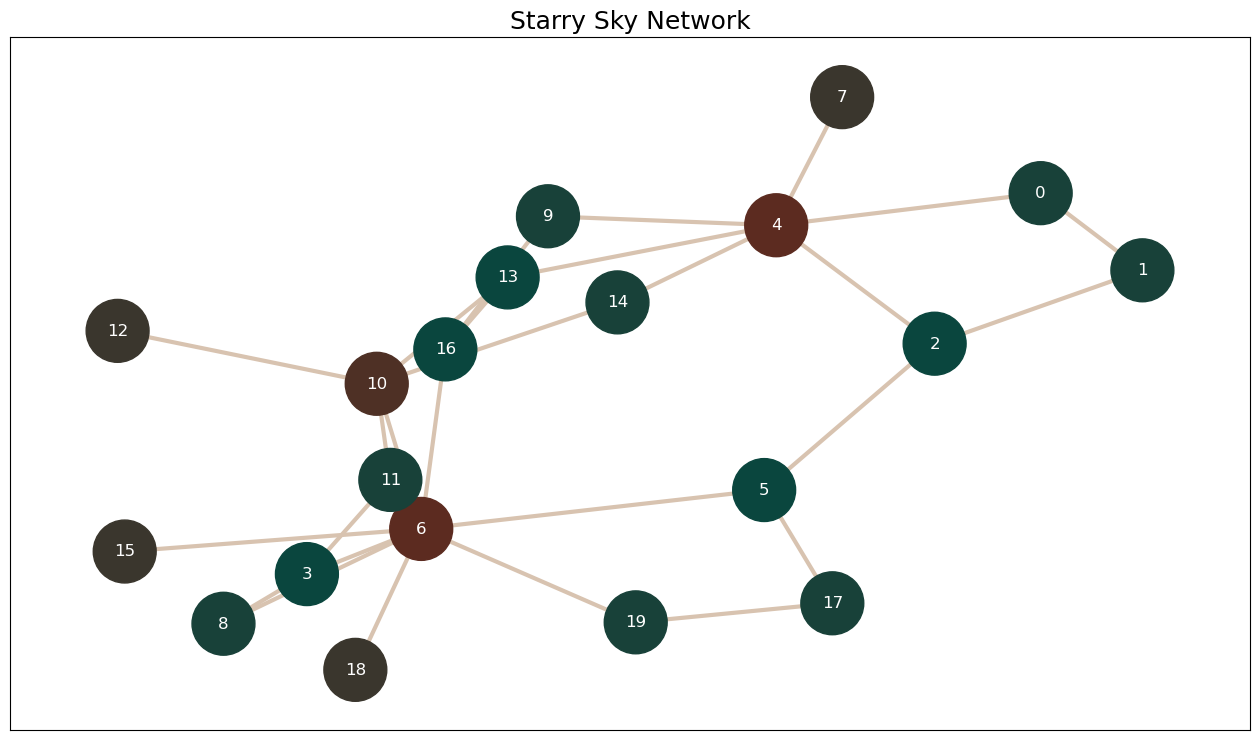
The Starry Sky Network layout is an extension of the Star Network layout, which attempts to circumvent the issue of finding an optimal central Component by clustering the molecules around multiple central molecules, connecting each central Component as necessary.
Compared to a standard Star Network, this topology is less robust when it comes to edge failure but reduces the risk of high cost edges, and therefore edge failure, when combined with a good scoring function.
This network is generated in three steps:
Cluster the input list of
Componentsbased on the class passed to theclustererargument. By default this uses an instance of theComponentsDiversityClustererwhich clusters input Components by their Morgan fingerprints.In each cluster build a sub-network, here with the Star Network Layout.
Concatenate the star networks with the two best edges between each of the clusters.
[9]:
from konnektor.network_planners import StarrySkyNetworkGenerator

network_planner = StarrySkyNetworkGenerator(mappers=mapper, scorer=scorer)
[10]:
starry_sky_network = network_planner.generate_ligand_network(components)
starry_sky_network.name = "Starry Sky Network"
starry_sky_network.name
/Users/atravitz/micromamba/envs/konnektor/lib/python3.12/site-packages/sklearn/cluster/_hdbscan/hdbscan.py:722: FutureWarning: The default value of `copy` will change from False to True in 1.10. Explicitly set a value for `copy` to silence this warning.
  warn(
/Users/atravitz/micromamba/envs/konnektor/lib/python3.12/site-packages/gufe/components/explicitmoleculecomponent.py:74: UserWarning: RDKit does not preserve Mol properties when pickled by default, which may drop e.g. atom charges; consider setting `Chem.SetDefaultPickleProperties(Chem.PropertyPickleOptions.AllProps)`
  warnings.warn(
/Users/atravitz/micromamba/envs/konnektor/lib/python3.12/site-packages/gufe/components/explicitmoleculecomponent.py:74: UserWarning: RDKit does not preserve Mol properties when pickled by default, which may drop e.g. atom charges; consider setting `Chem.SetDefaultPickleProperties(Chem.PropertyPickleOptions.AllProps)`
  warnings.warn(
/Users/atravitz/micromamba/envs/konnektor/lib/python3.12/site-packages/gufe/components/explicitmoleculecomponent.py:74: UserWarning: RDKit does not preserve Mol properties when pickled by default, which may drop e.g. atom charges; consider setting `Chem.SetDefaultPickleProperties(Chem.PropertyPickleOptions.AllProps)`
  warnings.warn(
/Users/atravitz/micromamba/envs/konnektor/lib/python3.12/site-packages/gufe/components/explicitmoleculecomponent.py:74: UserWarning: RDKit does not preserve Mol properties when pickled by default, which may drop e.g. atom charges; consider setting `Chem.SetDefaultPickleProperties(Chem.PropertyPickleOptions.AllProps)`
  warnings.warn(
/Users/atravitz/micromamba/envs/konnektor/lib/python3.12/site-packages/gufe/components/explicitmoleculecomponent.py:74: UserWarning: RDKit does not preserve Mol properties when pickled by default, which may drop e.g. atom charges; consider setting `Chem.SetDefaultPickleProperties(Chem.PropertyPickleOptions.AllProps)`
  warnings.warn(
/Users/atravitz/micromamba/envs/konnektor/lib/python3.12/site-packages/gufe/components/explicitmoleculecomponent.py:74: UserWarning: RDKit does not preserve Mol properties when pickled by default, which may drop e.g. atom charges; consider setting `Chem.SetDefaultPickleProperties(Chem.PropertyPickleOptions.AllProps)`
  warnings.warn(
/Users/atravitz/micromamba/envs/konnektor/lib/python3.12/site-packages/gufe/components/explicitmoleculecomponent.py:74: UserWarning: RDKit does not preserve Mol properties when pickled by default, which may drop e.g. atom charges; consider setting `Chem.SetDefaultPickleProperties(Chem.PropertyPickleOptions.AllProps)`
  warnings.warn(
/Users/atravitz/micromamba/envs/konnektor/lib/python3.12/site-packages/gufe/components/explicitmoleculecomponent.py:74: UserWarning: RDKit does not preserve Mol properties when pickled by default, which may drop e.g. atom charges; consider setting `Chem.SetDefaultPickleProperties(Chem.PropertyPickleOptions.AllProps)`
  warnings.warn(
[10]:
'Starry Sky Network'
[11]:
# NBVAL_SKIP
from konnektor.visualization import draw_ligand_network

fig = draw_ligand_network(starry_sky_network, title=starry_sky_network.name);
[ ]: